

The last view weeks we spent on making Lost Cities completely accessible with VoiceOver. That means it’s now possible to play the game without looking at the screen at all. VoiceOver will announce cards played, the content of lanes including the current points and other helpful information to minimize touch interaction while playing.
We wanted to make Lost Cities as enjoyable for players with vision impairment as for anybody else, and judging by the first round of feedback we got it seems we seem to have succeeded at that.
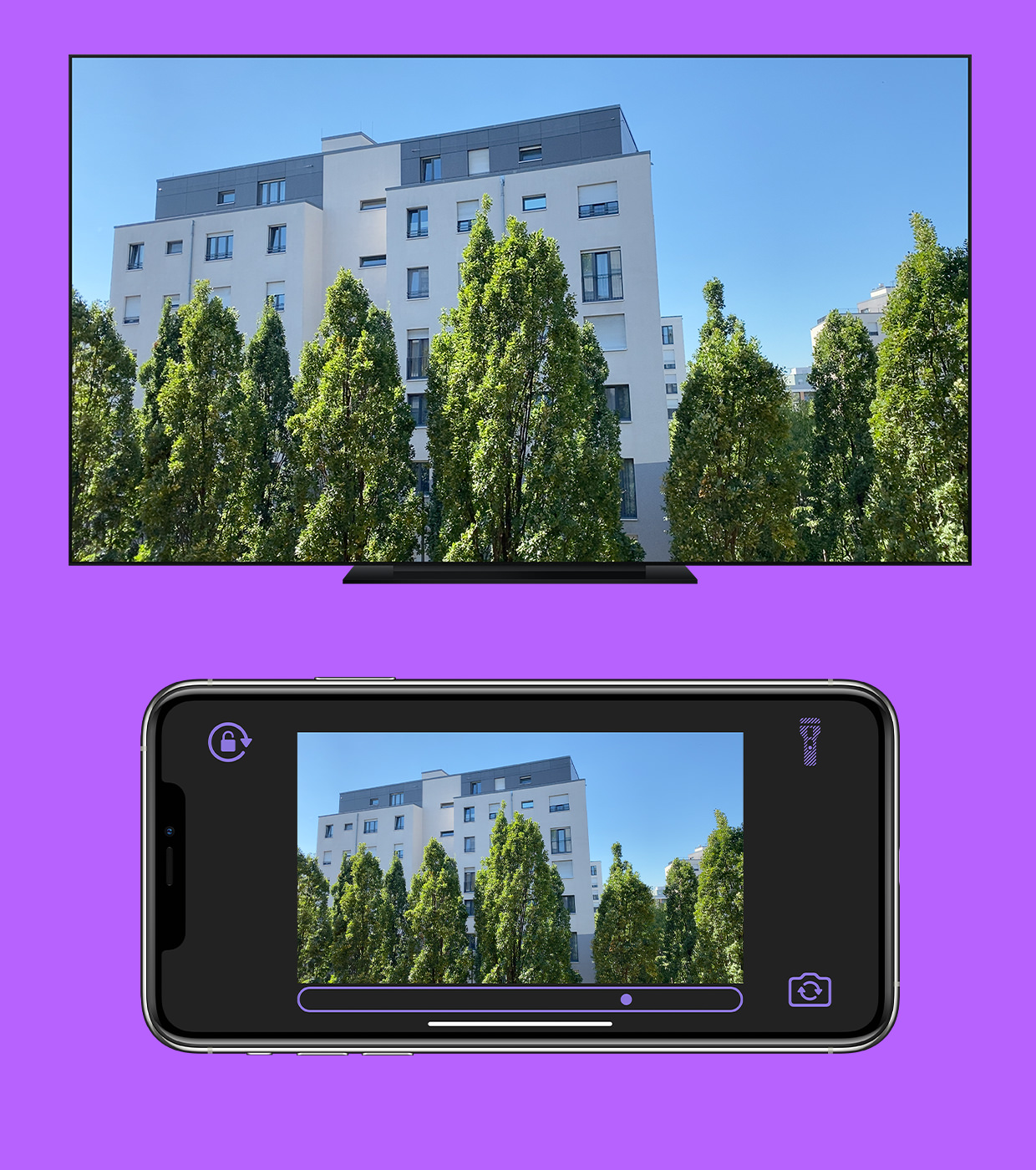
As an example here is a screenshot of an ongoing game and the corresponding VoiceOver feedback complete with hinting.

We’ve learned a lot by taking the step to fully support VoiceOver in Lost Cities. It took a moderate amount of extra work, but in the end it opened up the game to a whole new community of players.
With Additional Hints for People Who Have Trouble Distinguishing Between Colours
Toby (@kluepfel on Twitter), who is part of the Lost Cities team, wrote a post on his blog recently about the Lost Cities user interface. We thought we’d share the post with you here.
I’ll touch on some of the more subtle parts of the UI which can be very useful, if you know how to make use of them.
1. Opponent’s last move
Those lamps up there above the lanes show you into which lane your opponent played their last card.

If your opponent didn’t play a card, but discarded instead, his last discard is placed a bit askew on the discard pile.

2. Opponent’s last draw
That tiny card up top right shows you what your opponent last drew. If the card shown is face up, they drew it from a discard pile. If it’s face down, they drew it form the draw stack (and we’re not telling you what it was ;P)

3. Your last draw
The card you last drew sticks out a little bit from your hand. If you missed the drawing animation, looking for this is a quick way of checking which card is new.


The Colour Thing
We noticed there are a number of people who have trouble telling the colours of the cards apart. So we decided to do something about it. Several things, in fact.
1. High Contrast Mode

Turn this on in the settings, and the game board looks like this:

This mode may make it easier to distinguish colors. The “empty” cards on the discard piles are there to give a better contrast, and to show which color indicators (see Number 2) go with which lane.
2. Indicators on the cards
If you look closely at the points labels on the cards, you may notice some spiky bits standing out downwards from the numbers. Let me tell you a secret: They are not there by coincidence (*gasp*)! The number and placement of the spikes indicate the color of the card. It’s easy to memorize: No spikes means center lane, and 1 or 2 spikes to a side mean 1 or 2 lanes to the left or right (depending on the which way the spikes are pointing).
So, to fully enumerate all colors:

Yellow (leftmost lane)

Blue (1 to the left from the center lane)

White (center lane)

Green (1 to the right from the center lane)

Red (rightmost lane)
With WWDC approaching we thought we’d write a short summary of best practices on how to use SubEthaEdit to collaboratively take notes at conferences together. So, what to do when you are sitting in a session eager to write down what has been said?
First open up SubEthaEdit and press ⌘K to see the Connections window. If you’re lucky, others on the WiFi are already taking notes of your session. If so, join ‘em!
If not, just make a new file with the “Conference” template, like this:

The template has some syntax coloring for headlines and metadata and makes it easy to take structured notes. Don’t forget to save your file under a descriptive name, e.g. “Session 101 - Introduction” and annouce it with ⇧⌘E.
Oh, and before you are typing away and having fun documenting your conference experience, here’s another tip: Conferences tend to have slightly shaky networking and WiFi. To make sure SubEthaEdit uses as little precious network bandwidth as possible for a quick connection, disable transfer of the full document history, in the Preferences, like this:

We hope you have fun taking notes at WWDC!
(Oh and btw: You can use our free trial to do so, it runs for 30 days and is available here.)
We’re very happy that Develop Magazine ranked us as 10th most successful game studio this year, based on Metacritic score. We feel honored to be in a list with the likes of Kojima Productions, Polyphony Digital, EA DICE and Treyarch, let alone placing above them.
If you had told me, that we’d make a video game that is featured twice on Dork Tower just a few years ago, I’d had called you crazy.
Well. Looks like I would have been the crazy one. :)
Kevin Levine, lead writer and designer of BioShock picks Carcassonne as one of his five favorite games in The Daily: “You don’t know Carcassonne? You’re a sad, sad man.”
Thanks, Mr. Levine! :)